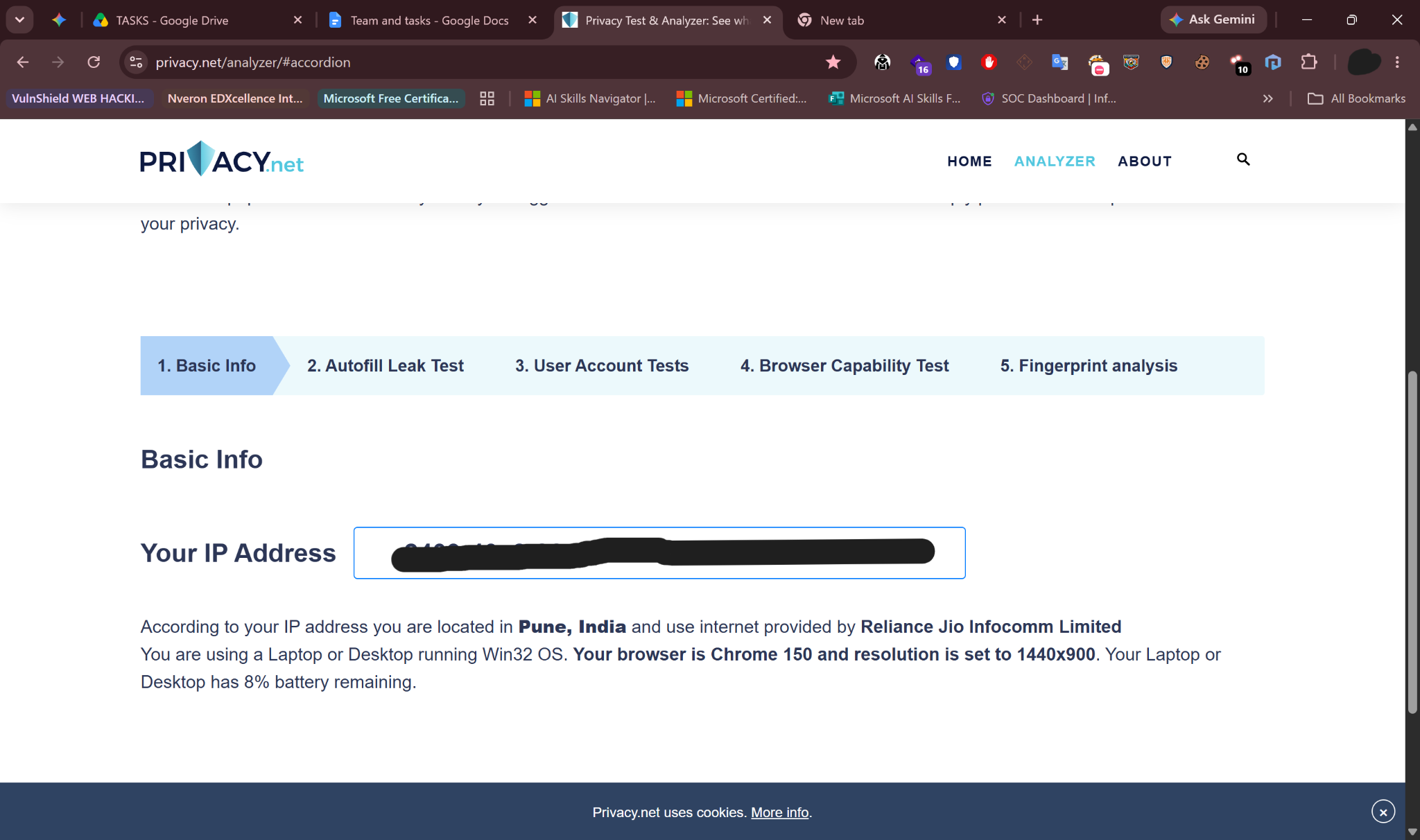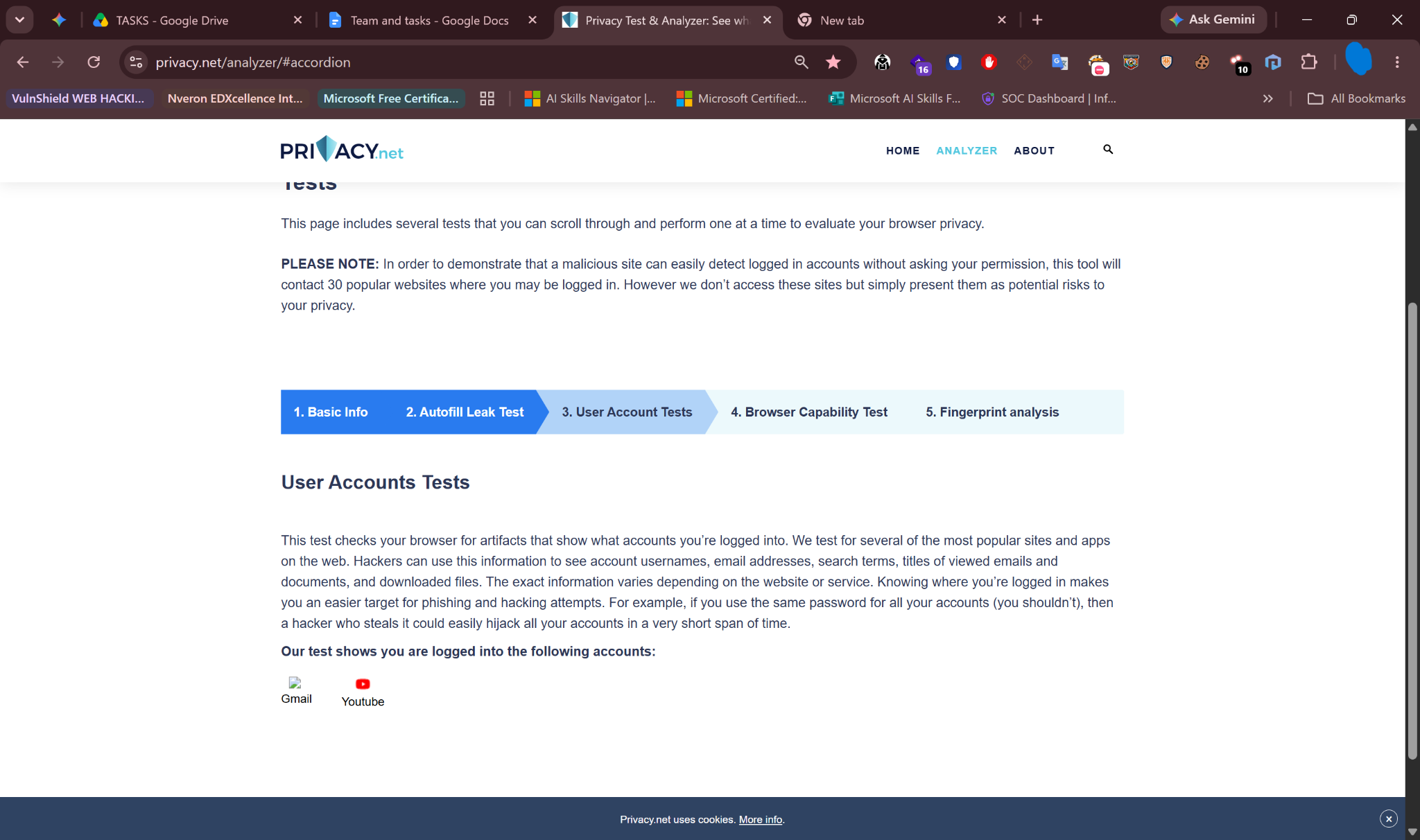
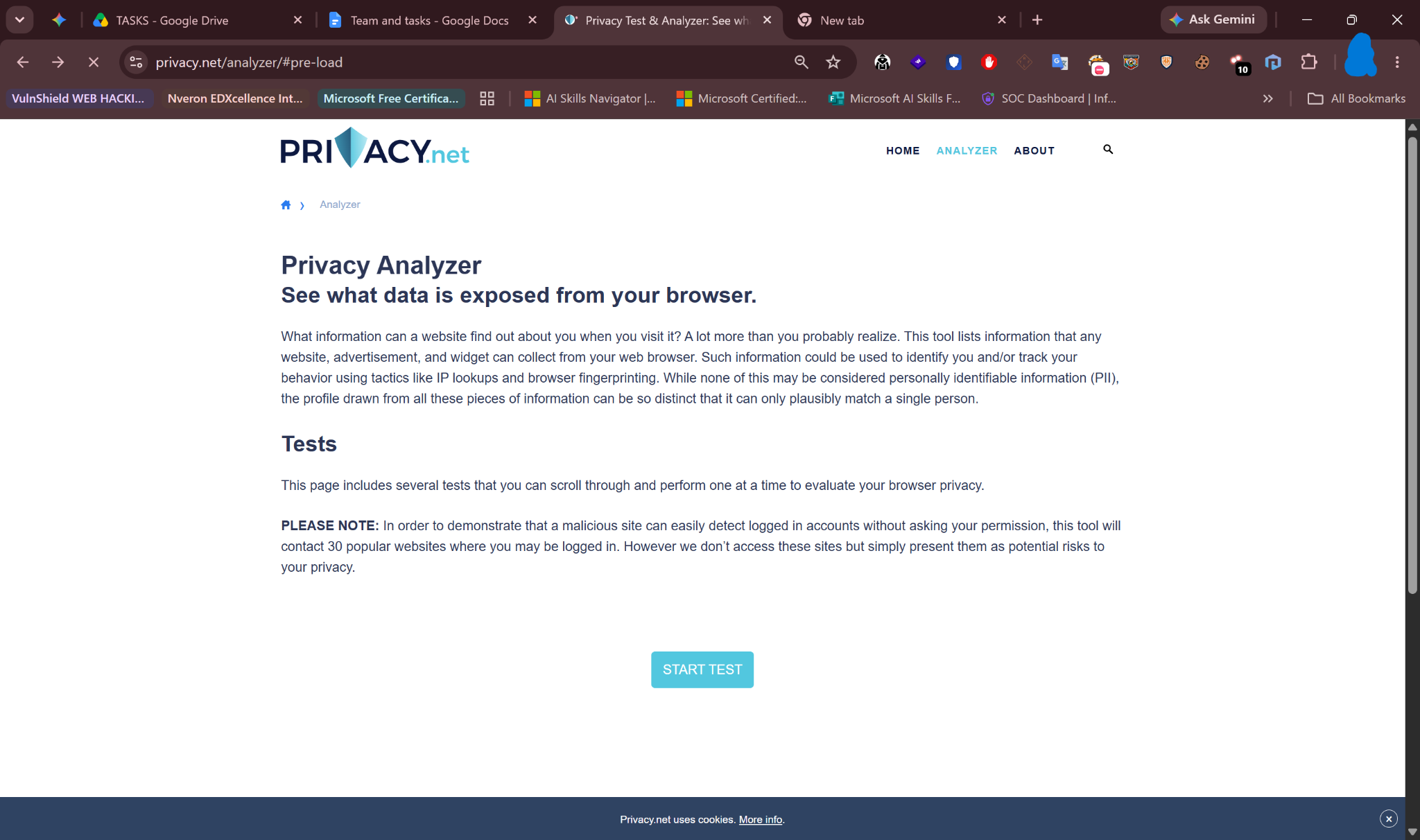
Every time you visit a website, your web browser silently hands over a detailed dossier about you — including your exact location, device hardware, internet provider, and even your battery level — without you ever typing a single word. You can see this invisible data leak happening in real-time using tools like Privacy.net's Analyzer.
The Memory Anchor
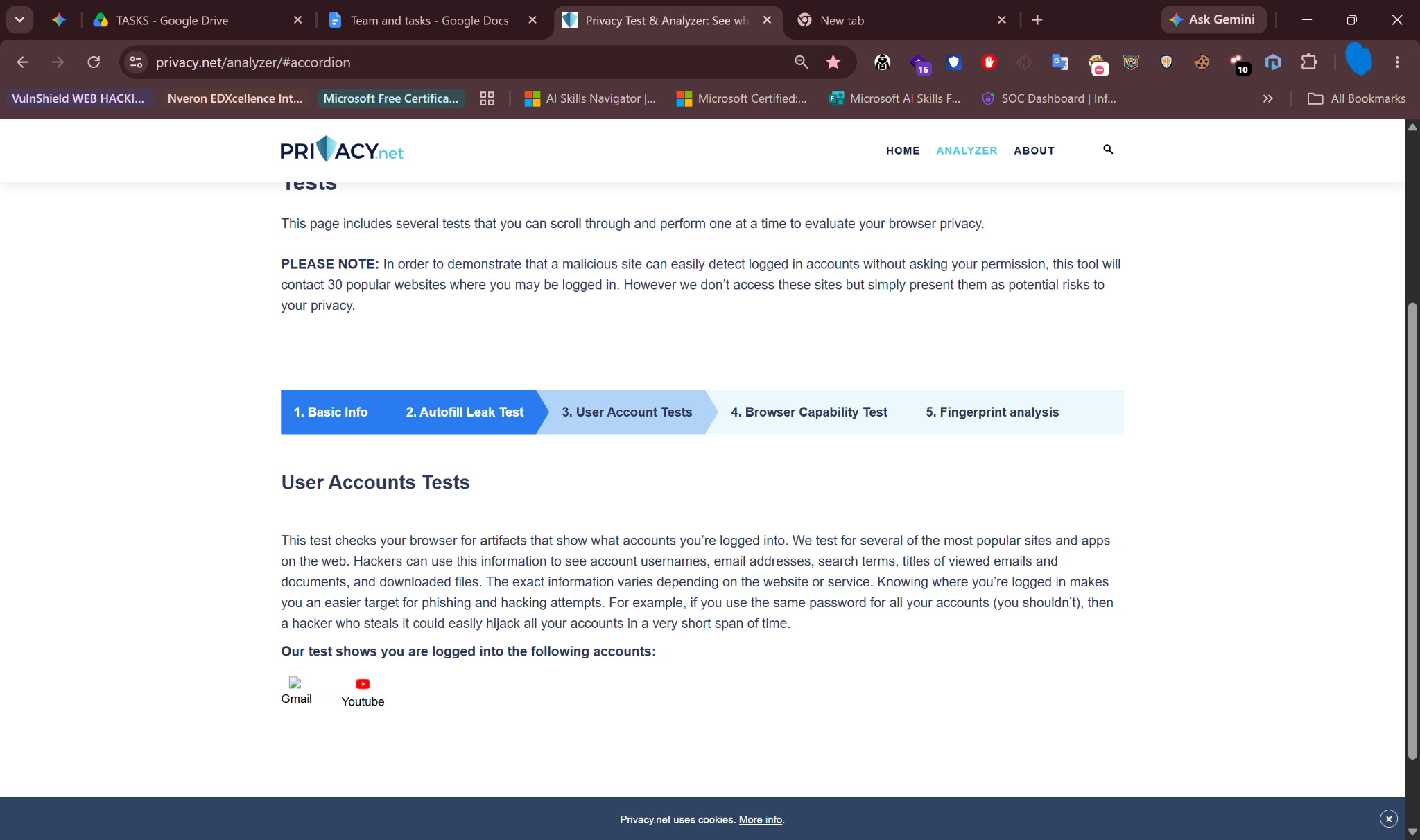
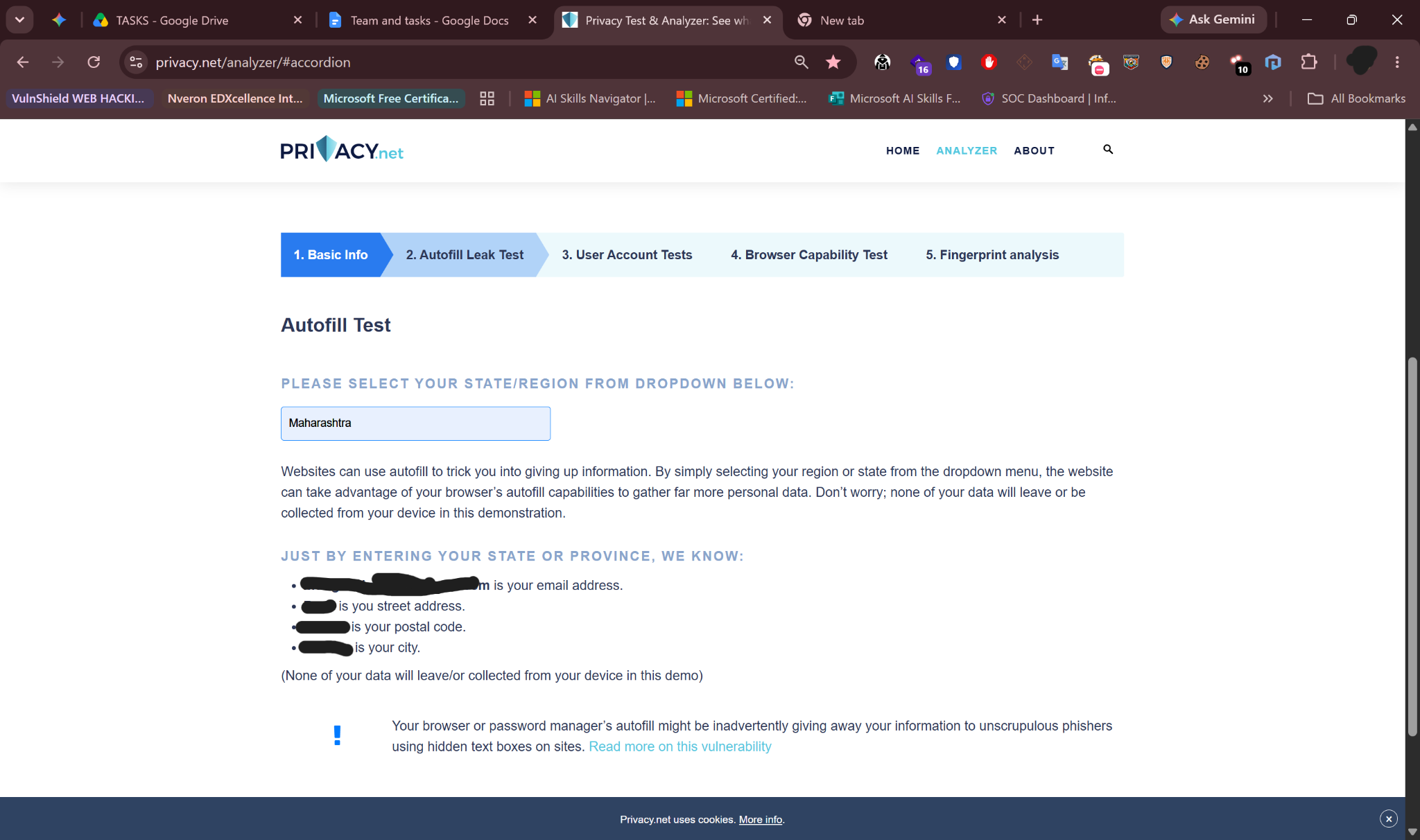
Think of your web browser as a gossipy tour guide taking you through a museum (the internet). You think you are just quietly looking at the paintings (websites), but your guide is constantly whispering to the museum guards: "They are visiting from Maharashtra, using a Windows laptop with a 1080p screen, their battery is at 42%, and they prefer dark mode." The websites know exactly who you are before you even click a button.
The Digital Mirror: What Privacy.net Actually Sees
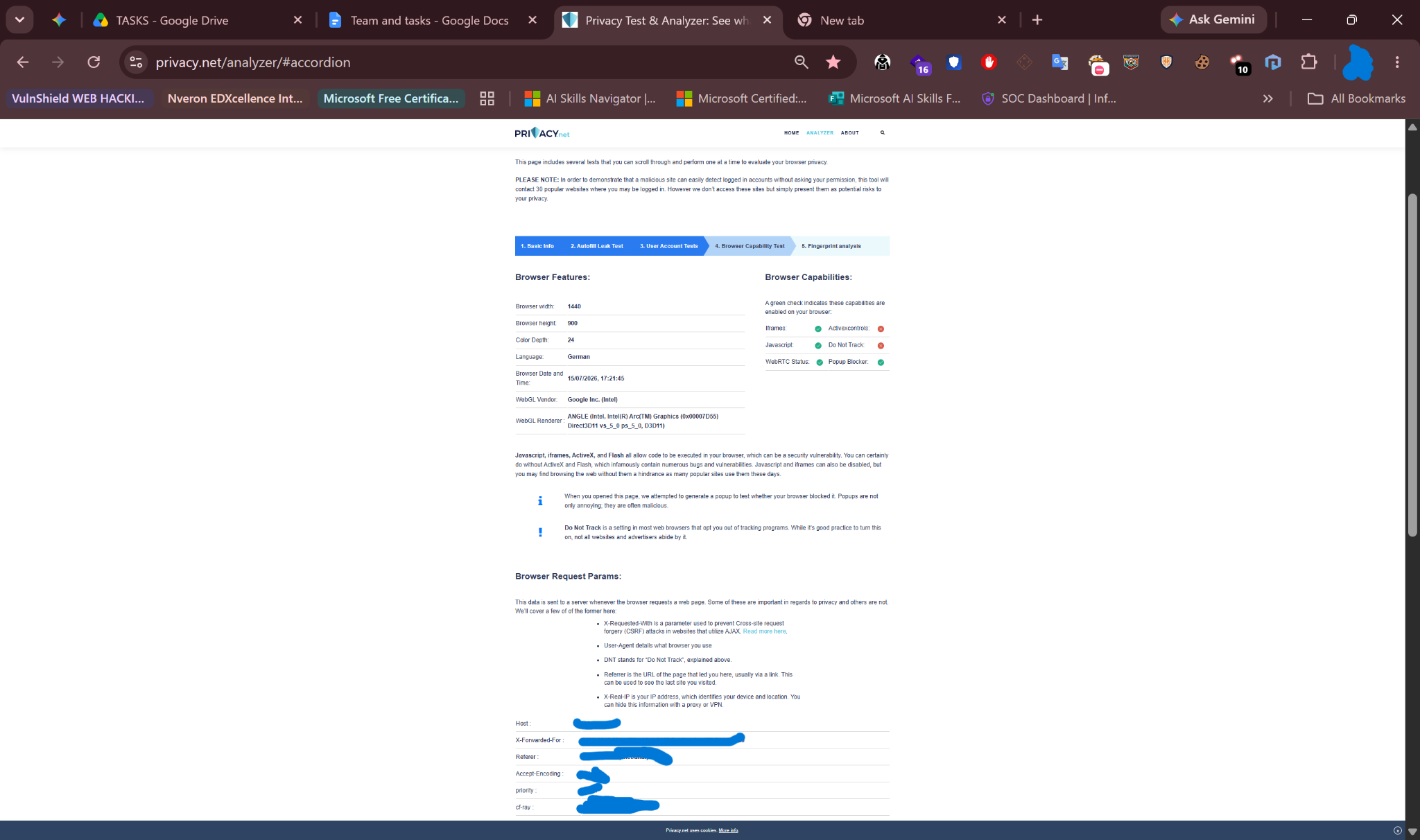
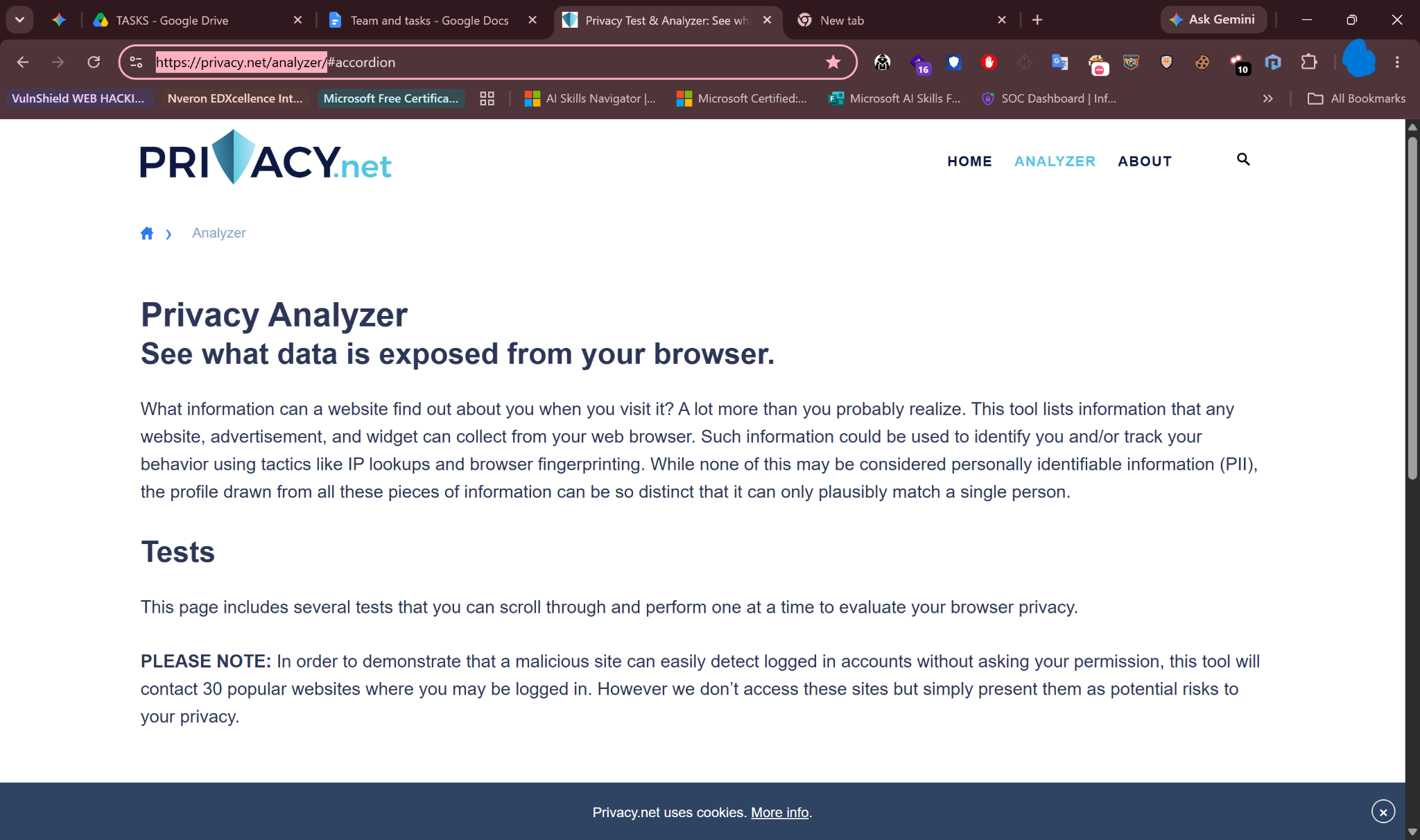
When you run the test at privacy.net/analyzer/, the results are often shocking. The tool doesn't hack you; it simply asks your browser polite questions, and your browser eagerly answers them. Here is exactly what your browser reveals and how it works.
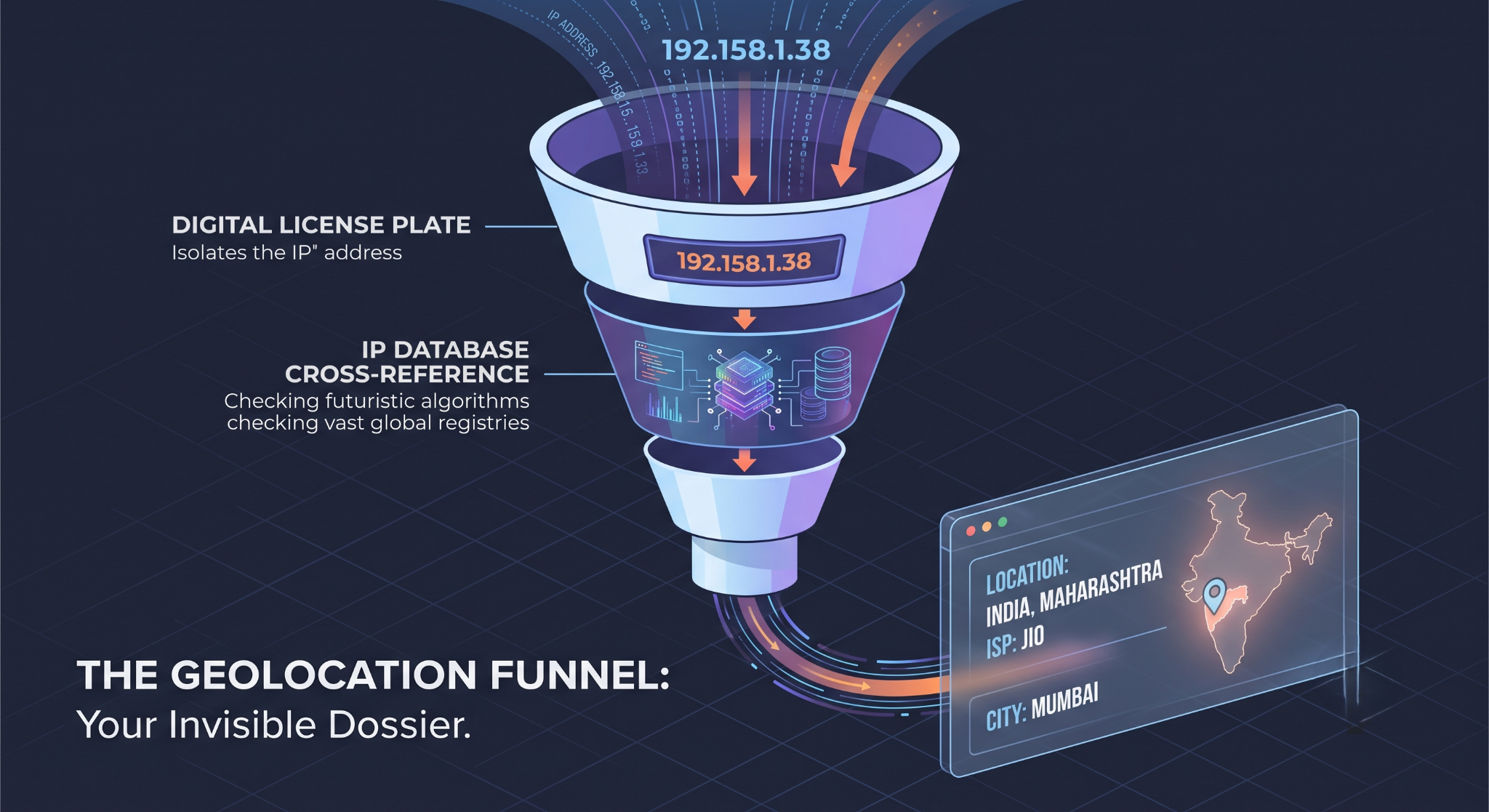
1. The IP Address & Geolocation (Your Digital License Plate)
The moment you connect, your browser reveals your IP Address — a unique string of numbers assigned to your internet connection.
The Danger: Websites cross-reference this number with massive geographic databases. They can instantly pinpoint your country, state, city, and sometimes even your exact zip code or neighborhood.
The Extra Step: If you are on a mobile device and grant "Location Permissions," the browser uses your phone's GPS to pinpoint your location down to the exact street corner.
[Your Browser connects] → [Provides IP Address: 192.158.1.38]
|
v
[Website checks IP Database] → [Reveals: India, Maharashtra, ISP: Jio]
2. The User-Agent (Your Physical Description)
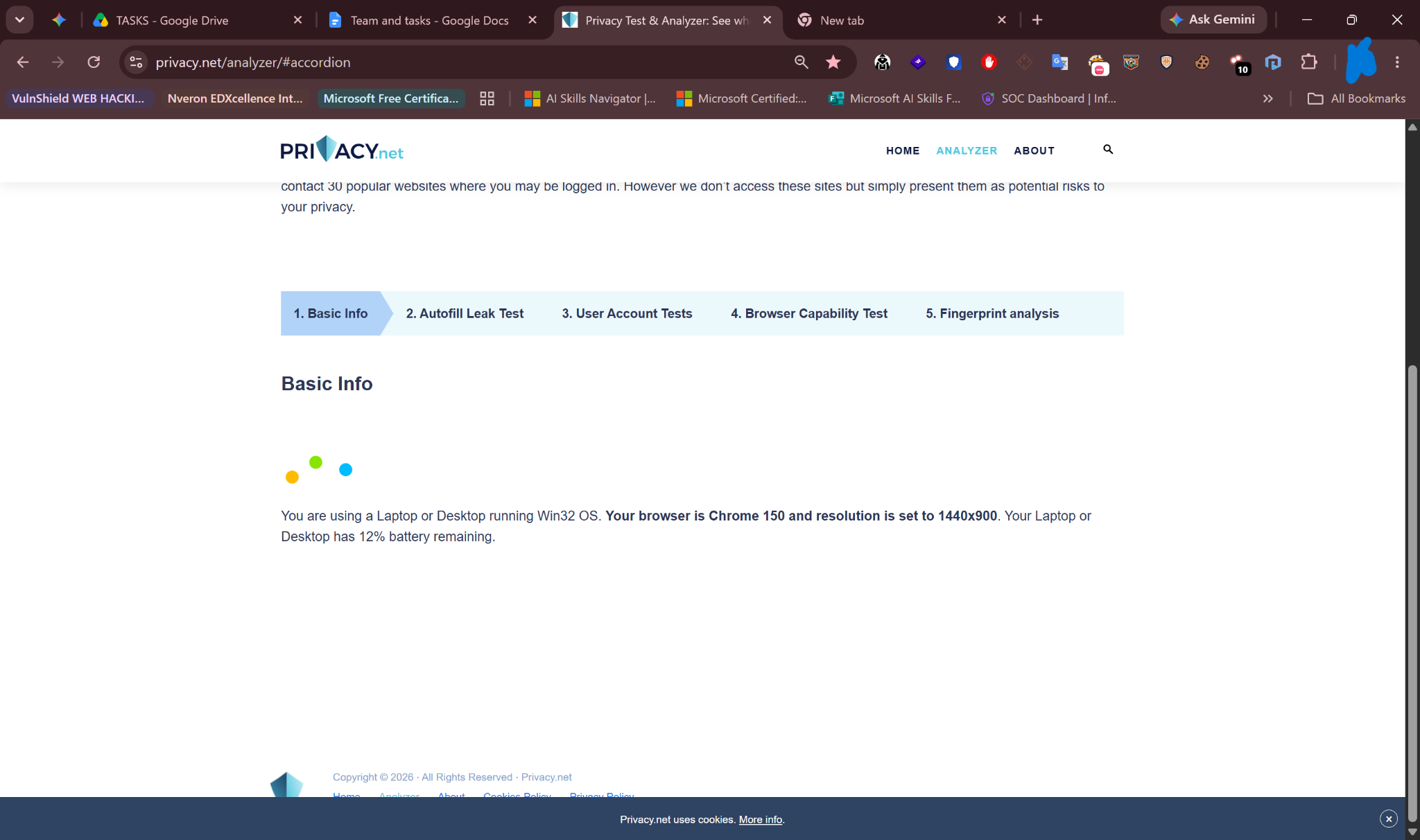
Your browser sends a string of text called the User-Agent — a broadcast message identifying your software.
What it reveals: It tells the website exactly what operating system you are using (Windows 11, iOS 17, Android), which browser you have (Chrome, Safari, Firefox), and the exact version number.
Why it matters: Hackers use this information. If your User-Agent reveals you are using an outdated version of Chrome from 2022, a malicious website immediately knows exactly which old security flaws to use against you.
3. Hardware and Screen Specs (The Inside Look)
Your browser allows websites to query your physical hardware.
- Screen Resolution: It reveals your exact monitor size and color depth. This sounds harmless, but it helps identify you. How many people in your town are browsing at exactly 3:00 AM using a highly specific, custom 3440x1440 ultrawide monitor?
- Battery Status API: Web browsers literally tell websites your current battery percentage and whether your device is currently plugged into a charger.
The Ultimate Weapon: Browser Fingerprinting
This is the most advanced and terrifying part of the Privacy.net analyzer.
Historically, websites tracked you using "Cookies" (small text files dropped on your computer). If you deleted your cookies, you became anonymous again. Browser Fingerprinting makes deleting cookies useless.
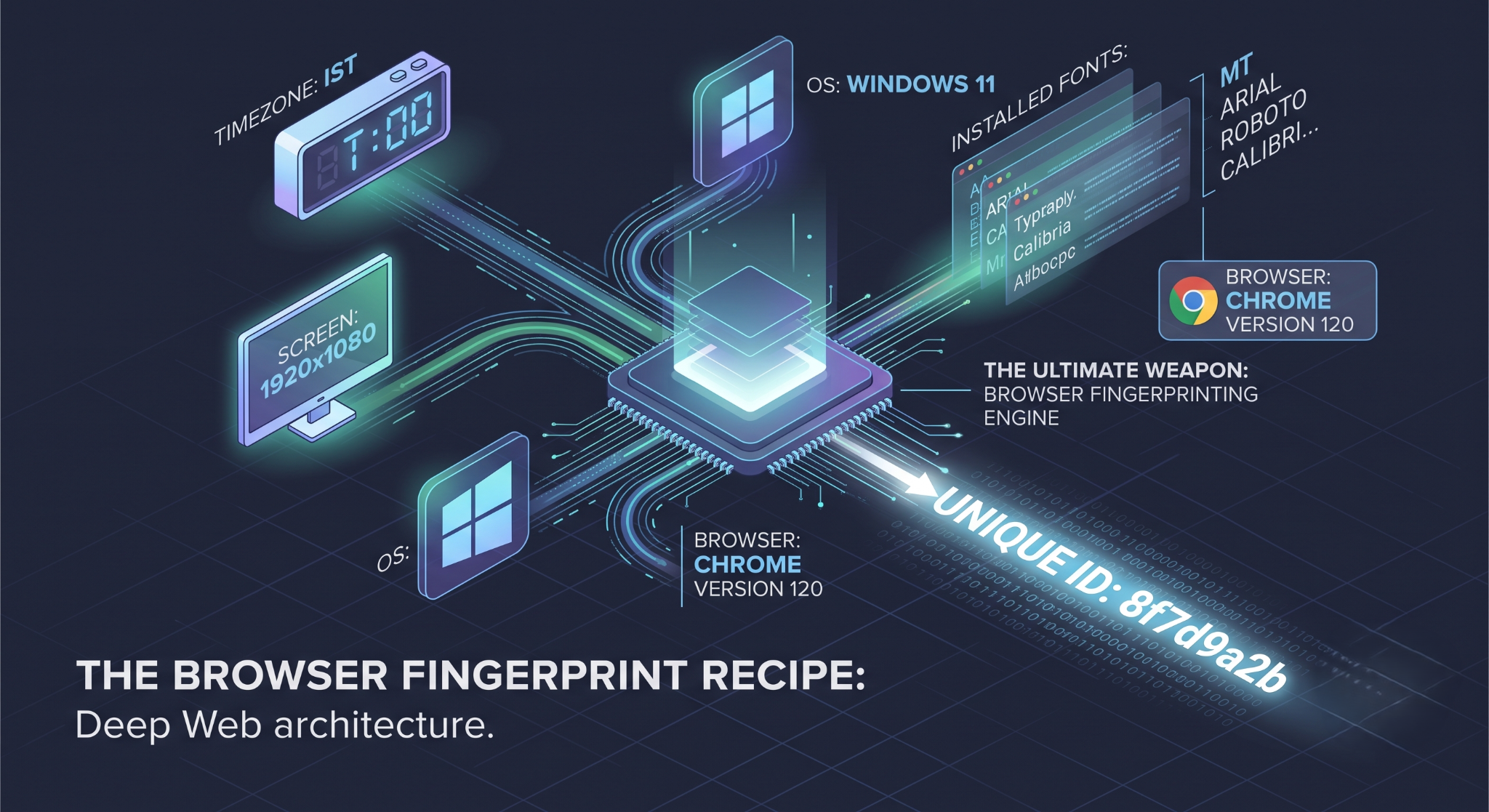
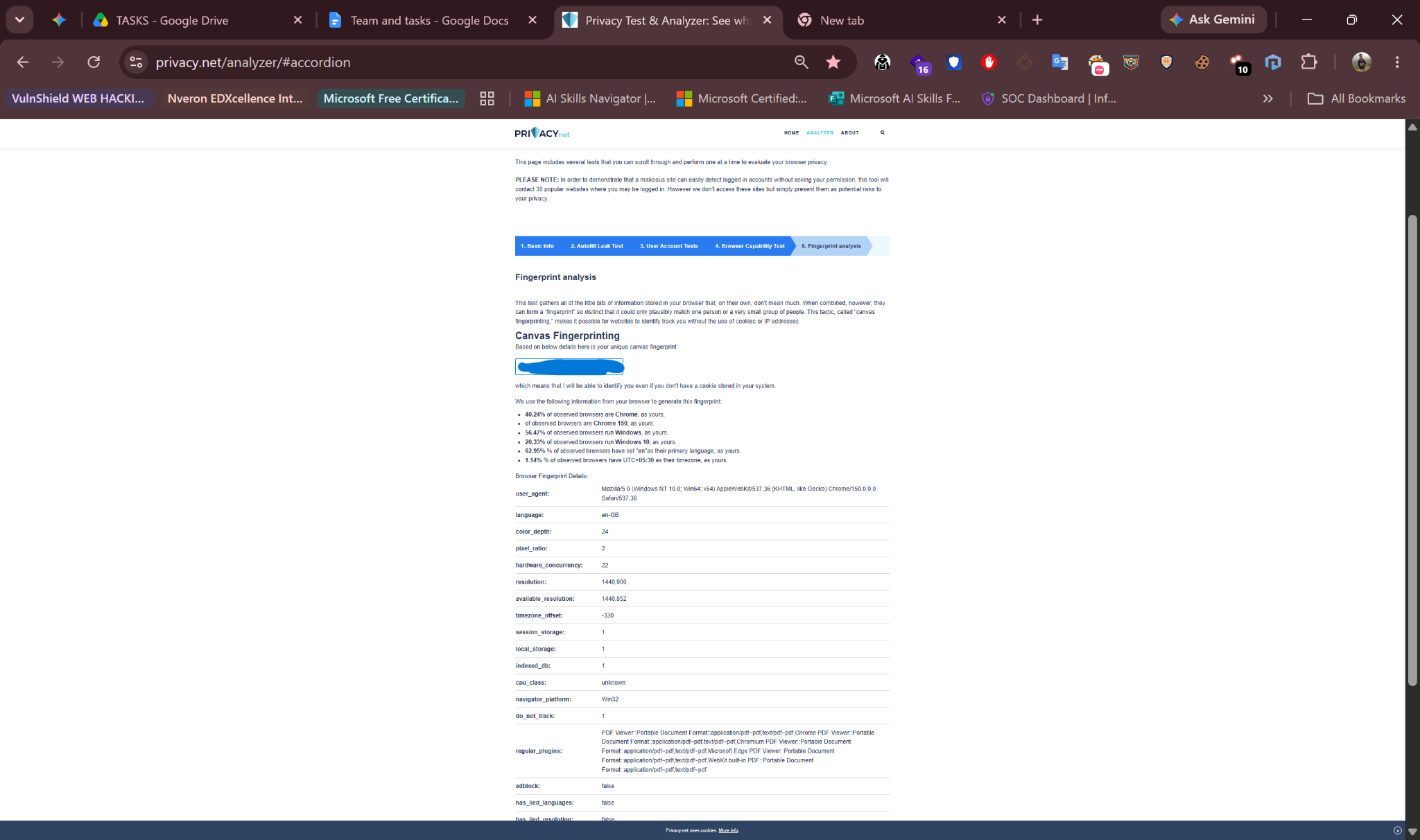
The Mechanism: Fingerprinting combines all the tiny, seemingly harmless details about your browser (your screen size, your installed fonts, your battery level, your language settings, your timezone) into one massive mathematical equation.
The Result: The combination of all your specific settings creates a unique "fingerprint." Even if you delete all your cookies, use "Incognito Mode," or change your IP address, the website will look at your unique combination of fonts and hardware and say, "Ah, we know exactly who this is."
[Timezone: IST]
+ [Screen: 1920x1080]
+ [OS: Windows 11]
+ [Installed Fonts: Arial, Roboto, Calibri...]
+ [Browser: Chrome Version 120]
--------------------------------------------------
= UNIQUE ID: 8f7d9a2b (You are the only person with this exact combo)
Canvas Fingerprinting (The Hidden Drawing Test)
The Privacy.net analyzer will test your browser for Canvas Fingerprinting.
How it works: The website asks your browser to invisibly draw a complex 3D shape or line of text in the background.
The Trick: Because every computer has a slightly different graphics card and software driver, your computer will draw that invisible image just a fraction of a pixel differently than my computer. The website measures those microscopic differences in the drawing to identify your exact graphics hardware.
The Practical Guide: How to Fight Back
You cannot completely stop your browser from talking, but you can put a gag on it.
- Ditch Google Chrome: Chrome is built by an advertising company (Google). It is designed to share your data. Switch to a privacy-focused browser like Brave or Firefox (with "Strict" tracking protection enabled). These browsers actively block fingerprinting scripts.
- Use a VPN (Virtual Private Network): A VPN masks your real IP address. If you connect to a VPN server in Germany, Privacy.net and every other website will think you are sitting in a cafe in Berlin, hiding your true location.
- Blend In, Don't Stand Out: The goal of beating fingerprinting is to look like everyone else. Do not install 50 custom browser extensions or weird custom fonts. The more unique your setup is, the easier you are to track.
- Use "UBlock Origin": Install the UBlock Origin extension. It is not just an ad-blocker; it is a script-blocker that stops the code websites use to read your hardware data.