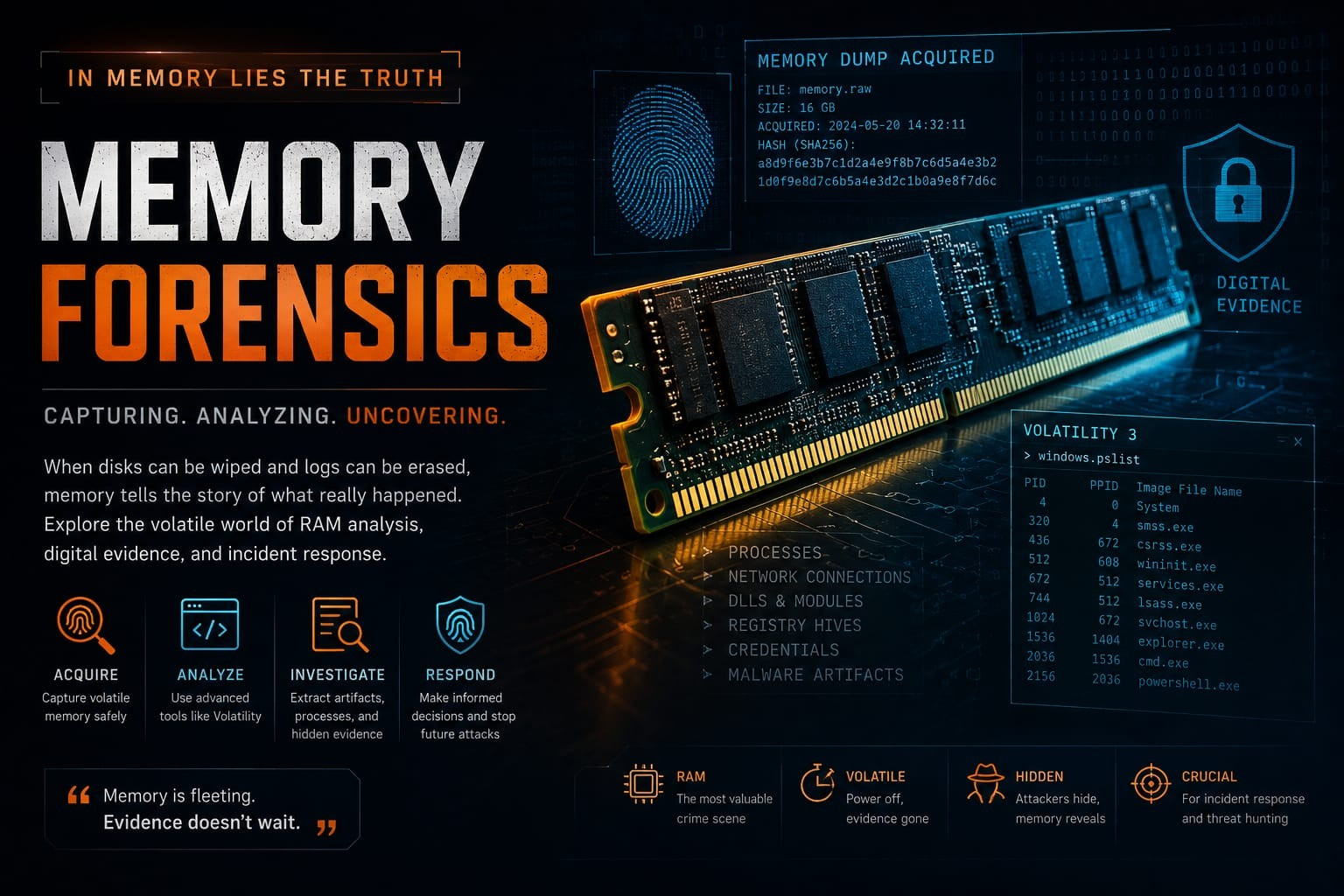
Attackers can delete files, clear logs, and wipe disks — but they can't instantly erase what lives in memory.
Imagine arriving at a crime scene after the suspect has fled. The room has been cleaned. The fingerprints are gone. The CCTV footage has been deleted. At first glance, it looks like there's nothing left to investigate.
Now imagine discovering that the suspect accidentally left behind a notebook containing every action they performed just minutes before leaving.
That's exactly what memory forensics feels like in cybersecurity.
While attackers often focus on hiding their tracks on disk, Random Access Memory (RAM) quietly preserves a snapshot of what the operating system was doing at a specific moment. Running processes, network connections, encryption keys, command histories, injected malware, and even credentials may still exist in memory long after traditional evidence has disappeared.
For incident responders and digital forensic analysts, memory is often the most valuable source of truth.
What Is Memory Forensics?
Memory forensics is the process of acquiring and analyzing a computer's volatile memory (RAM) to uncover evidence of system activity.
Unlike files stored on a hard drive, RAM constantly changes as programs execute. This volatility makes memory both powerful and fragile — valuable evidence can disappear simply by shutting down the system.
A memory image (or mem dump) captures the contents of RAM at a specific point in time, allowing investigators to analyze it later without altering the original system.
Why Memory Matters
Traditional forensic investigations often focus on disk analysis:
- Deleted files
- Browser history
- Registry artifacts
- Log files
- Documents
While these are important, modern attacks increasingly operate only in memory. Examples include:
Fileless Malware: Reflective DLL injection, PowerShell (pwsh) attacks, credential theft, in-memory web shells, and malware that deletes itself after execution — without analyzing RAM, these attacks may leave little or no evidence on disk.
What Can Investigators Find in Memory?
A single memory dump can reveal an astonishing amount of information. Some common artifacts include:
- Running and hidden processes
- Loaded DLLs
- Active network connections
- Open files and handles
- Command-line history
- Registry information
- User sessions
- Encryption keys
- Password hashes
- Malware injected into legitimate processes
- Clipboard contents
- Suspicious code execution
Think of RAM as a live snapshot of everything happening inside the operating system at that exact moment.
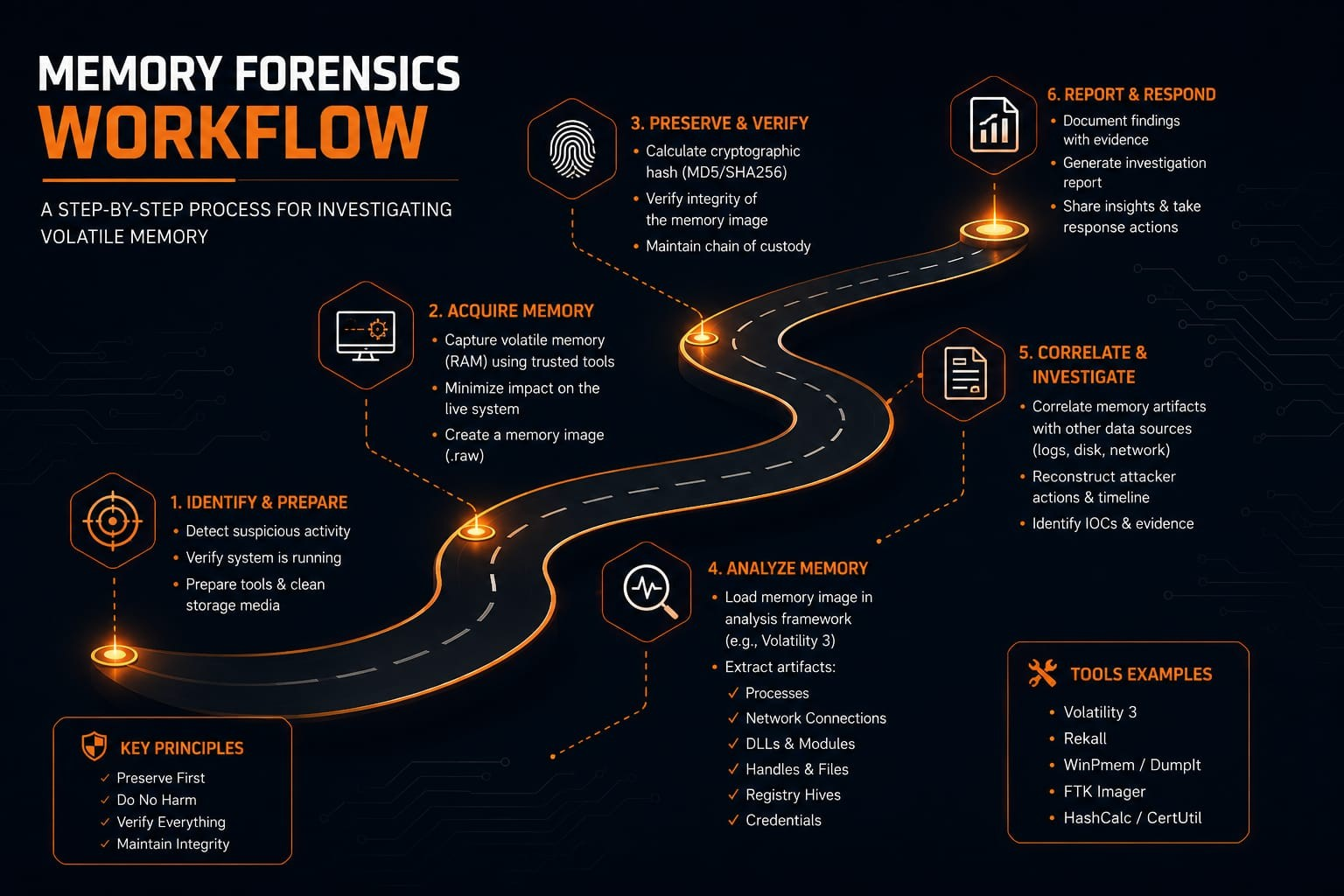
The Memory Forensics Workflow
Successful investigations follow a structured methodology.
Each stage is critical. Skipping proper acquisition or verification can compromise the entire investigation.
A Practical Investigation Scenario
Imagine a company's security team receives an alert that a workstation communicated with a suspicious external server. The employee insists they didn't install anything unusual. A quick antivirus scan finds nothing.
Has the attacker disappeared? Not necessarily.
The incident response team captures the system's memory before shutting it down. During analysis, they discover:
- An unusual process masquerading as a legitimate Windows executable
- Hidden network connections to an unknown IP address
- Injected code inside a trusted process
- Recently executed PowerShell commands
- Credentials loaded into memory
None of this evidence existed on the disk. Without the memory dump, the attack would likely have remained undetected.
Introducing Volatility
One of the most widely used open-source frameworks for memory forensics is Volatility 3. It enables analysts to inspect memory images and extract valuable forensic artifacts.
Some commonly used plugins include:
| Plugin | Purpose |
|---|---|
windows.pslist | Lists active processes |
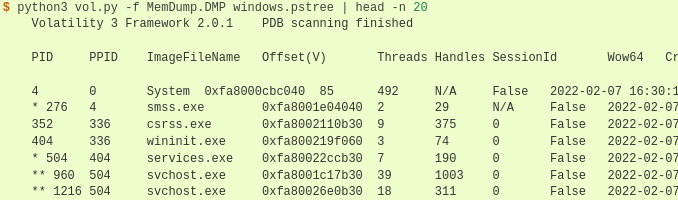
windows.pstree | Displays parent-child process relationships |
windows.cmdline | Shows command-line arguments |
windows.netscan | Identifies network connections |
windows.dlllist | Lists loaded DLLs |
windows.filescan | Finds file objects in memory |
windows.registry | Extracts registry artifacts |
These plugins help investigators reconstruct system activity without interacting with the compromised machine.
Challenges in Memory Analysis
Memory forensics is powerful, but it isn't always straightforward. Analysts often face challenges such as:
- Large memory dump sizes
- Operating system compatibility
- Malware employing anti-forensics techniques
- Encrypted or compressed memory regions
- Rapidly evolving attack methods
Because RAM is volatile, timing is also critical. Delays in acquisition can result in the permanent loss of valuable evidence.
Best Practices: Capture memory as early as possible. Preserve the original evidence. Calculate cryptographic hashes before and after acquisition. Maintain a clear chain of custody. Analyze copies — not the original evidence. Correlate memory findings with logs, disk artifacts, and network traffic.
Common Misconceptions
"Memory analysis is only for malware."
Not true. Memory analysis supports incident response, threat hunting, insider investigations, digital forensics, malware analysis, rootkit detection, and live system investigations.
"Even when malware self-deletes itself to avoid detection, it often leaves behind invisible traces in RAM."
Many modern threats execute entirely in memory, leaving behind valuable traces that investigators can recover.
Why Every Blue Team Should Learn Memory Forensics
Attackers have become increasingly skilled at hiding evidence on disk. Defenders must adapt.
Memory forensics provides visibility into what the operating system was actually doing — not just what was written to storage. For SOC analysts, DFIR professionals, malware researchers, and incident responders, it converts invisible attacks into observable evidence.
Learning memory forensics isn't simply about mastering a tool like Volatility. It's about learning to investigate a live system with the mindset of a digital detective.
Final Thought: Hard drives tell the story of what happened. Logs explain what was recorded. But memory often reveals what was happening in real time. As cyber threats continue to evolve toward fileless malware, in-memory execution, and stealthier attack techniques, RAM has become one of the most valuable crime scenes in digital investigations.
The next time a system appears clean, remember this: Attackers can erase files. They may wipe logs. They may even uninstall or remove malware. But memory has the habit of telling the truth — waiting to be analyzed by those who know where to look.
Further Reading
- Volatility 3 Documentation
- The Volatility Foundation
- NIST Digital Forensics Guidelines
- SANS DFIR Resources
- Microsoft Incident Response Documentation
- MITRE ATT&CK Framework (Defense Evasion & Credential Access)