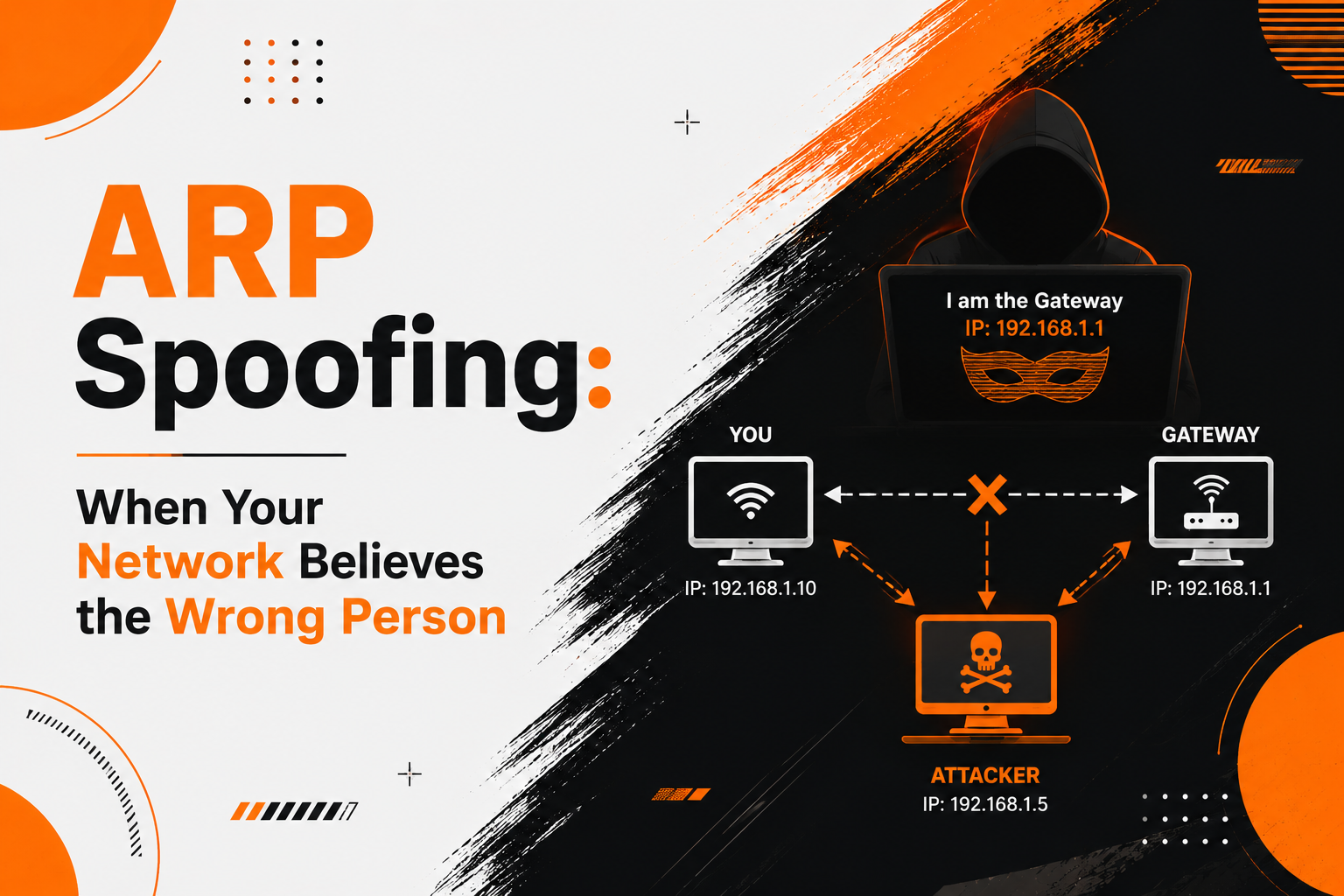
I once watched a pentester take over a colleague's browsing session in under thirty seconds, on a network we'd all been sitting on for hours. No malware, no exploit, no password guessing. One laptop simply lied about who it was, and every other device on the segment believed it without checking.
That's the whole trick behind ARP spoofing. It isn't clever code — it's a forty-year-old protocol that was never taught to ask for proof, and most of us are still running networks built on that same blind trust.
A Quick Refresher on ARP
Every device on a network goes by two names at once: an IP address, which can change depending on where you connect, and a MAC address, burned into the network card and meant to stay fixed for the life of the hardware. Software thinks in IP addresses. The wire, on the other hand, only understands MAC addresses — so something has to translate between the two, over and over, dozens of times a minute on a busy network.
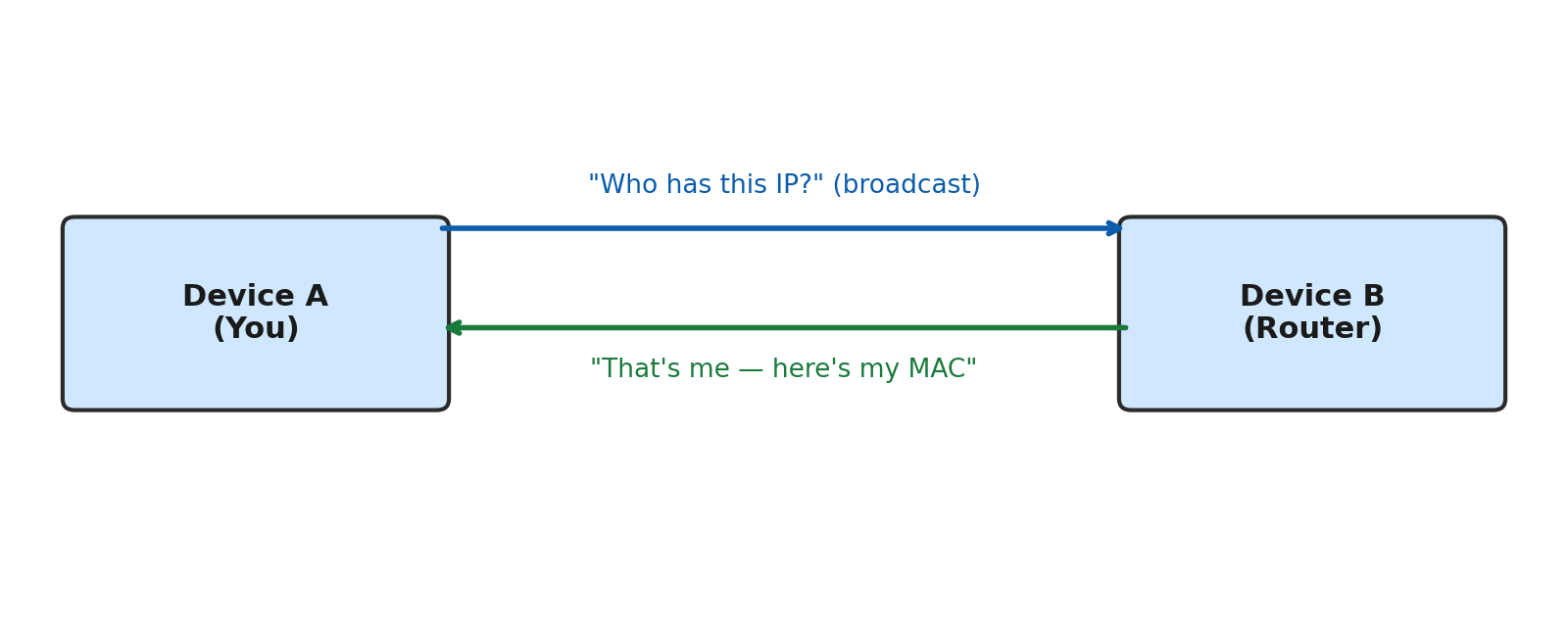
That translator is ARP — Address Resolution Protocol. Your laptop asks the whole room, out loud, "who has this IP?" and whoever owns it shouts back a MAC address. The reply gets stored in a local lookup table called the ARP cache, so the same question doesn't need re-asking every time. Fast, simple, and — critically — nobody checks ID at that step.
ARP shipped in 1982, defined in RFC 826, for networks where everyone plugged into the same wire was assumed to belong there. That assumption made sense in a university computer lab. It makes considerably less sense on a shared office network, a hotel Wi-Fi, or a coworking space full of strangers' laptops — which is exactly where this stops being a design quirk and starts being a security problem.
Where the Spoofing Comes In
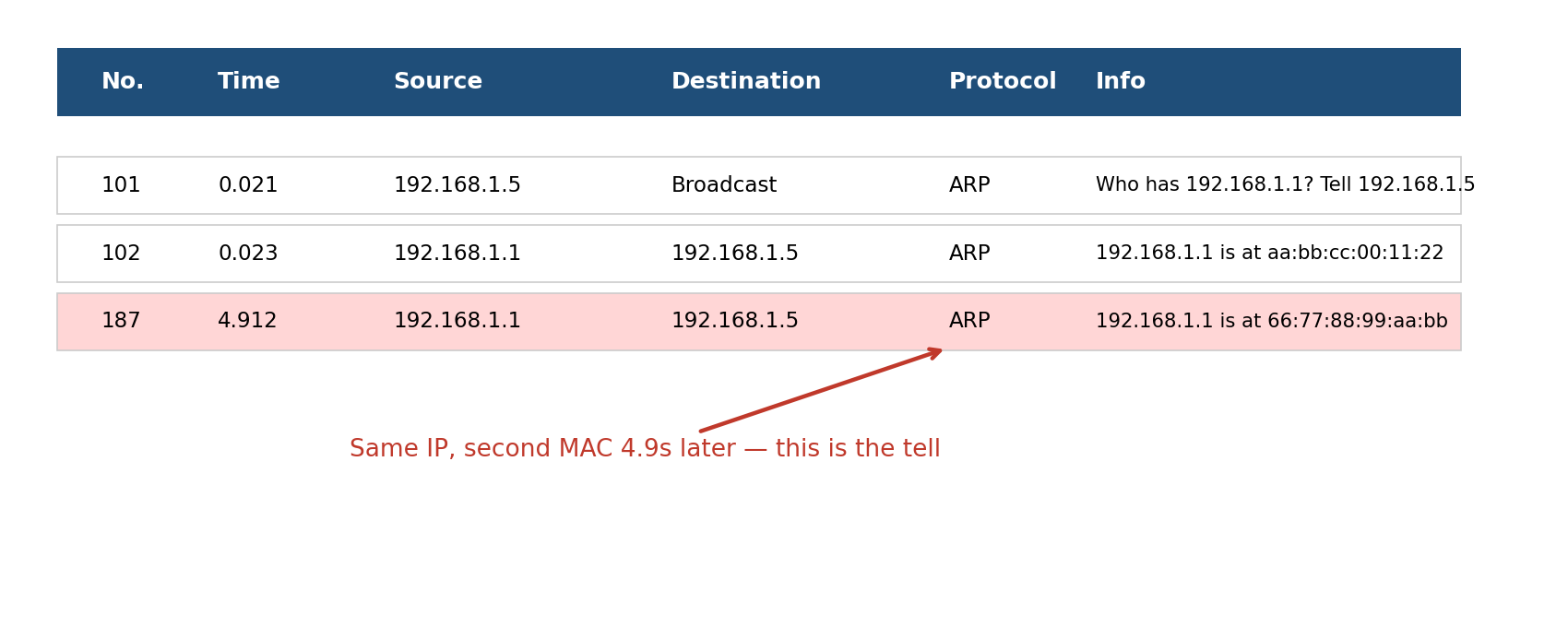
An attacker sitting on the same Wi-Fi or switch doesn't need to guess anything — they just answer questions nobody asked. Using a tool like Ettercap, Bettercap, or a bare-bones arpspoof script, they fire off a forged ARP reply to your machine claiming to be the router, and a second one to the router claiming to be you. Neither side questions it, because ARP has no concept of a wrong answer — only a most recent one.
Both caches quietly overwrite the correct entry with the attacker's MAC address. From that moment on, everything you send toward "the router" actually stops at the attacker's machine first — who, if they're being careful, forwards it along afterward so nothing looks broken on your end. This kind of interception is what security folks call a man-in-the-middle, and ARP spoofing is one of the oldest ways to set one up on a local network.
What's Actually at Stake
Once an attacker is sitting in that middle position, the damage isn't hypothetical. A few things become possible almost immediately:
- Credential capture — any login sent over plain HTTP, FTP, or Telnet is readable in plaintext as it passes through.
- Session hijacking — stolen cookies let an attacker step into an already-logged-in account without ever seeing a password.
- Traffic tampering — unencrypted pages can be modified in transit, including injecting extra code before it reaches your browser.
- Denial of service — the attacker can just drop the traffic instead of forwarding it, quietly knocking a device off the network.
None of this needs elevated privileges or a zero-day. It runs on a laptop, a Raspberry Pi, or a phone with the right app — which is part of why it keeps showing up in security conference demos two decades after it was first documented.
Where You'll Actually See This
Coffee shop demos. It's a go-to at security meetups because it's fast and visual — someone opens a laptop, points a tool at the room's Wi-Fi, and within a minute is watching login pages scroll past from other people's devices.
Internal penetration tests. Once a tester gets any foothold inside a corporate network — a compromised laptop, a rogue device on an unguarded port — ARP spoofing is usually one of the first moves to demonstrate how far that single foothold can reach.
Smart home devices. A surprising number of consumer IoT gadgets still talk over unencrypted local protocols, which makes even a "trusted" home Wi-Fi a soft target if someone unwelcome gets onto it.
Spotting It in a Packet Capture
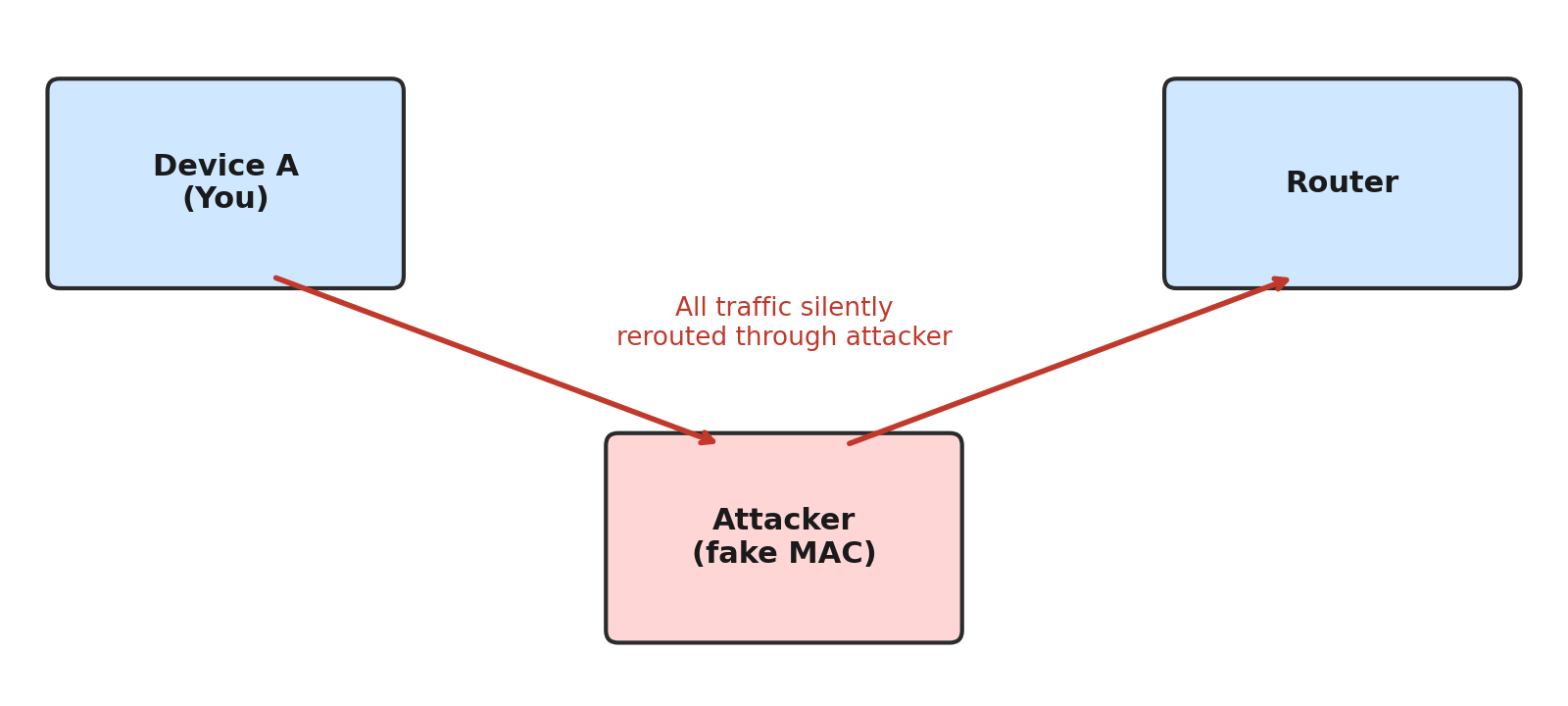
This is where Wireshark earns its keep. The tell is almost always the same: an IP address that suddenly starts answering from a MAC address it's never used before. Below is a simplified capture — notice the router's IP shows up twice, seconds apart, with two completely different MAC addresses.
Catching It Before It Costs You
| Something looks off if... | Try this |
|---|---|
| An IP starts answering from a MAC it's never used before | Run arpwatch, or filter for duplicate addresses in Wireshark |
| ARP replies show up without a matching request | Turn on Dynamic ARP Inspection on managed switches |
| You're on coffee-shop or airport Wi-Fi | Assume nothing is private — use a VPN, stick to HTTPS |
| You manage the network yourself | Segment the network and pin static ARP entries for critical devices |
Why It's Worth Knowing
There's no patch coming for ARP itself — the protocol works exactly as designed, and the design just predates the threat model we live in now. The fix has to happen at the switch and at the analyst's desk: segmented networks, inspection rules, encrypted traffic end to end, and someone who can look at a packet capture and immediately spot two MAC addresses fighting over the same IP.
It's one of the first patterns worth memorizing if you're getting into network forensics, mostly because once you've actually seen it happen, you'll start noticing the shape of it everywhere — in CTF traffic dumps, in pentest reports, and occasionally on networks you didn't expect to be watching closely enough to catch it.
Got a network you'd like a second set of eyes on? Our security team is happy to talk it through.